Simple, Reliable Messaging
Communicate with your customers and staff using SMS and MMS. Send instant notifications whenever a form is submitted.
Risk-Free 14 Day Guarantee
You'll love it or we'll refund you fully. No questions asked.
The ClickSend SMS add-on connects Ninja Forms to your ClickSend account so every form submission can trigger an SMS notification. If you already use ClickSend for messaging, this is the bridge that puts your WordPress forms in the loop automatically.
You will need an active ClickSend account with SMS credits. This add-on routes messages through your account using your API key — it does not provide SMS service on its own.
With the ClickSend SMS add-on, you can:
Key Features
Instant SMS Delivery
Send an SMS through your ClickSend account the moment a form is submitted.
Dynamic Recipient Routing
Map a phone number field to the "To" field so each submission can go to a different recipient.
Merge Tags in Messages
Pull any form field value into the SMS body so notifications show what was actually submitted.
Auto Message Segmentation
Long messages are split into multiple SMS automatically. No character counting required.
Direct API Connection
Connects via your ClickSend API key. No middleware, no OAuth. Credits billed through your ClickSend account.
Per-Form Configuration
Configure the ClickSend action independently on each form with its own message and recipients.
Key Features of the ClickSend SMS Add-On
Instant SMS on form submission
The moment someone submits a Ninja Forms form, the ClickSend action fires and sends the SMS through your connected account. There is no delay and no polling. Whether you are collecting leads, support requests, or order details, the notification arrives in seconds.
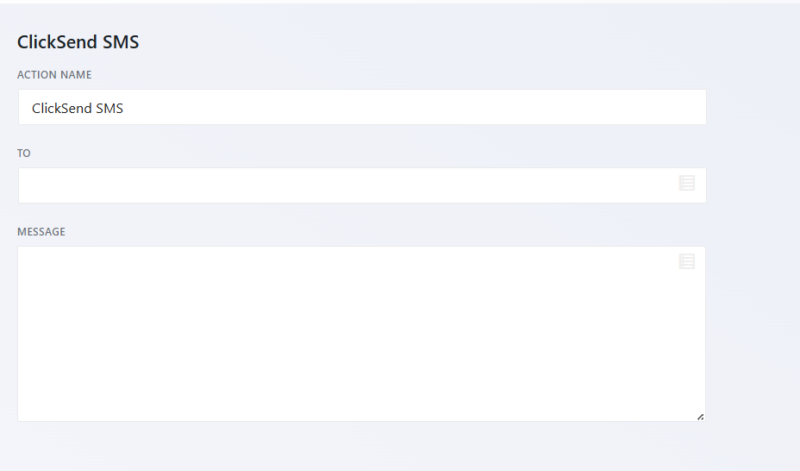
Dynamic recipient routing
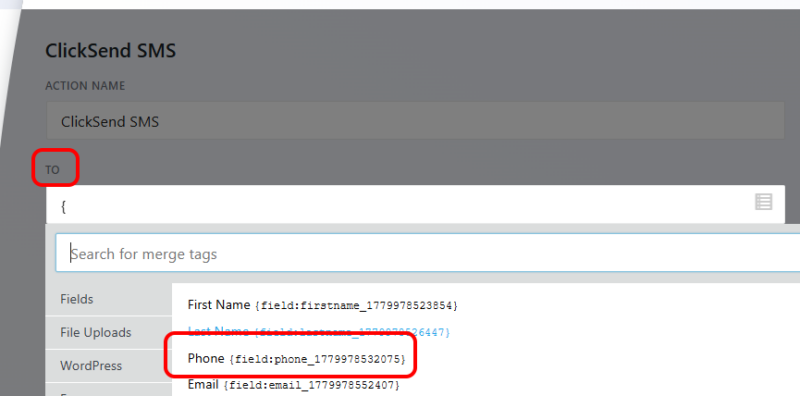
You are not locked into a single fixed recipient. Map any phone number field from your form to the SMS “To” field, and the add-on delivers each submission’s notification to the number provided. Use this to notify the submitter, alert a team member whose contact is stored in a hidden field, or build routing logic across multiple forms.
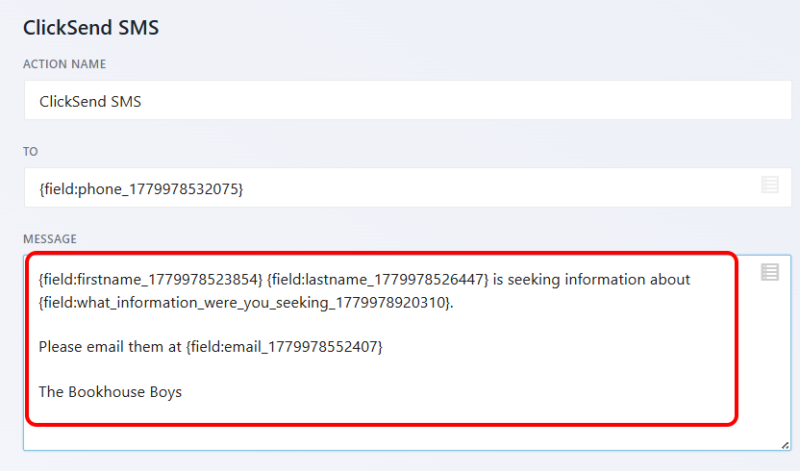
Merge tags in message body
Pull any submitted value directly into the SMS text using Ninja Forms merge tags. Include the submitter’s name, email address, a selected option, or any other field — so your notification shows what was actually submitted instead of a generic alert. No custom code required.
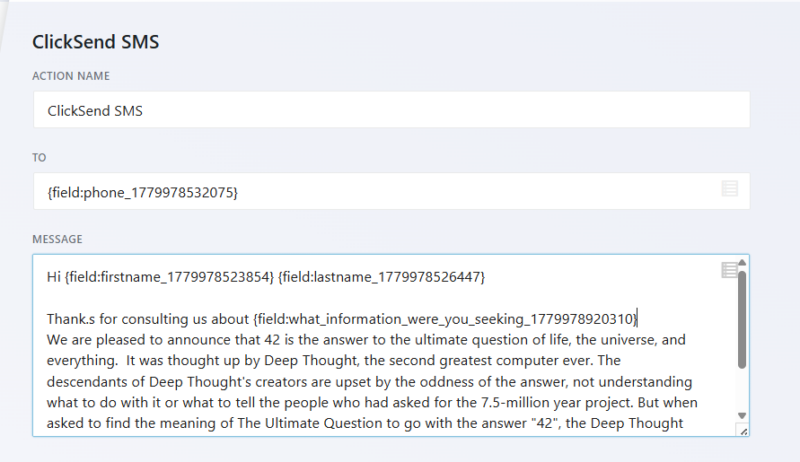
Automatic message segmentation
Standard SMS has a 160-character limit, but you do not have to count characters or trim your messages. If your message body exceeds the limit, the add-on splits it into multiple segments automatically. Your message arrives complete, without the manual overhead of character counting.
API-based ClickSend connection
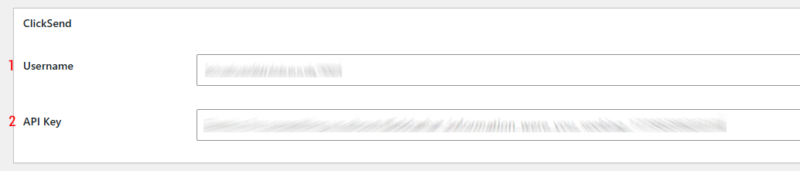
Connection to ClickSend is handled directly via your API key, entered once in Ninja Forms settings under the ClickSend API Key field. You will also enter your ClickSend username. There is no third-party middleware involved. SMS credits are billed through your ClickSend account at their standard rates.
Per-form configuration
The ClickSend action is added independently to each form through the Ninja Forms builder. Different forms can send different message templates to different recipients. A contact form, a support ticket form, and a payment form can each have their own ClickSend setup without affecting each other.
A text the moment a form comes in
Send an instant SMS to your team, your customer, or both whenever a form is submitted, so nothing waits in an inbox. Add it to your cart and start getting a text on every submission.
Backed by priority email support and a 14-day money-back guarantee.
How the ClickSend WordPress Integration Works
Setup takes three steps. First, connect your ClickSend account by entering your API key and username in Ninja Forms settings. Second, open any form in the builder, go to the Emails and Actions tab, and add a new ClickSend action. Third, configure the message: set the “To” field using a form field or a fixed number, write your message body with merge tags, and save.
From that point, every qualifying submission triggers the action and routes the SMS through your ClickSend account. Credits are deducted from your ClickSend balance per message segment sent. No WordPress plugin intermediary handles the delivery — the request goes directly to the ClickSend API.
SMS Notification Alerts for WordPress Forms
There are two distinct ways teams use this add-on for notification alerts, and both are worth considering for your setup.
The first is notifying yourself or your team. When a lead form, support ticket, or order form is submitted, an SMS goes to a team inbox or a team member’s phone. You can respond while away from your desk instead of waiting for the next time you check email. For inbound lead management in particular, faster response times correlate directly with higher contact rates.
The second is notifying the submitter. Use the dynamic recipient routing feature to send an SMS to the phone number the submitter provided. This gives them an immediate confirmation that their submission was received, which reduces follow-up inquiries and sets a professional tone from the first interaction. A support ticket confirmation, an order acknowledgment, or a booking confirmation all work well as submitter-facing SMS.
WordPress Contact Form SMS Notification: What This Add-On Is and Is Not
This add-on is a form-to-SMS bridge. It reads Ninja Forms submission data and sends it to the ClickSend API. It is not a standalone SMS plugin and does not manage phone lists, campaigns, or carrier routing on its own.
If you already have a ClickSend account and you want your WordPress forms to trigger SMS messages, this is exactly the right tool. If you are looking for a plugin that provides SMS service independently, without a separate ClickSend subscription, this add-on is not the right fit. ClickSend’s own account and credit balance handle delivery. The add-on handles the connection between form submissions and that account.
For teams already in the ClickSend ecosystem, this means your WordPress forms can send SMS the same way any other ClickSend integration does: through your existing account, your existing credits, and your existing sending infrastructure.
Common Use Cases
- Instant lead alerts to your sales team: Get a text the moment a contact or quote request form is submitted. Respond before the lead goes cold, without waiting to check email.
- Support ticket confirmation to submitters: Automatically send an SMS to the customer’s phone number when a support form is submitted, confirming you received their request.
- Order notifications for payment forms: Trigger an SMS to your fulfillment team or warehouse when a purchase form is submitted, so orders move without manual monitoring.
- Booking and appointment acknowledgments: Send an immediate SMS confirmation to anyone who books through a Ninja Forms appointment or booking form.
- Internal routing for multi-team forms: Use dynamic recipient routing to send each submission type to the right team member’s phone based on a field value in the form.
- Event registration confirmations: Let registrants know their spot is confirmed via SMS the instant they submit an event sign-up form.
Never miss a time-sensitive request
When a booking or service request cannot sit until someone checks email, ClickSend texts the details to your staff right away, so they follow up while it is fresh. Add it to your cart and put time-sensitive requests in your team’s hands.
Priority email support and a 14-day money-back guarantee included.
Frequently Asked Questions
-
Yes. The ClickSend SMS add-on connects Ninja Forms to an existing ClickSend account using your API key. ClickSend is a separate paid service that handles SMS delivery and billing. The add-on does not provide SMS service on its own.
-
Install and activate the ClickSend SMS add-on, then enter your ClickSend API key and username in Ninja Forms settings. Open any form in the builder, add a ClickSend action under Emails and Actions, configure the recipient and message body using merge tags, and save. Submissions will trigger the SMS automatically.
-
Yes. The ClickSend SMS add-on is the official bridge between Ninja Forms and ClickSend. It connects via the ClickSend API and sends SMS through your account whenever a form is submitted.
-
Yes. Use the dynamic recipient routing feature to map the "To" field to a phone number field in your form. When someone submits the form and provides their number, the SMS goes directly to them as a confirmation or acknowledgment.
-
Yes. The ClickSend action is configured per form inside the Ninja Forms builder. Each form can have its own message template, its own fixed recipient number, or its own dynamic recipient field. Forms do not share a single global SMS configuration.
-
No manual limit is enforced in the builder. If your message body exceeds the standard 160-character SMS limit, the add-on automatically splits it into multiple segments. Standard ClickSend per-segment rates apply to multi-segment messages.
-
The ClickSend SMS add-on is included with the Ninja Forms Elite membership. It is also available as a standalone purchase if you prefer not to upgrade your plan.
-
Licenses are subscription based and will auto-renew each year unless cancelled. If cancelled, you may still use your extensions but will no longer receive important updates or support once the license expires.